1. Introduction
I started where most people start: asking Claude.ai to analyze stocks for me. “What’s AAPL’s RSI?” — and it works, kind of. Claude can fetch data through MCP tools, compute a single indicator for a single ticker, and give you a reasonable answer.
But the moment I tried anything real — “Screen all US stocks for oversold signals” or “Compare RSI and MACD across my 50-ticker watchlist” — it fell apart. The LLM can only handle one ticker at a time. The data comes from third-party APIs with no guarantee of accuracy. Ten tickers already eats 11% of the context window. And every query costs tokens
I wanted something different: accurate data I control, analysis across thousands of tickers at once, and a cost I could sustain as a personal project — not a $200/month cloud bill. So I built the data infrastructure first, then used AI as the last step — not to fetch and compute, but to write the C++ code with duckdb extension that made it all possible.
The Problem: Three Ways to Analyze a Stock
I want a simple answer: “What are AAPL’s SMA(20), RSI(14), and EMA(12) for the past year?”
Here are three ways to get it — same question, very different trade-offs.
Way 1: LLM Tool Prompt
Using Claude.ai with a financial data MCP server (e.g., FMP — Financial Modeling Prep), you can ask a question in natural language and the LLM fetches the data for you:
You: "Calculate SMA(20), RSI(14), and EMA(12) for AAPL's last 365 days of daily closing prices."
Claude calls the FMP MCP tool, receives ~250 rows of JSON (~11,375 tokens), then tries to compute the indicators. For one ticker, this works — the API call takes 7.1 seconds, plus ~5 seconds of inference, totaling about 12 seconds and 0.30 in tokens. At 100 tickers, the data doesn’t fit in the context window at all.
Way 2: Python + yfinance + TA-Lib (Script)
import yfinance as yfimport talibimport numpy as npdf = yf.download("AAPL", start="2025-04-17", end="2026-04-17")close = df["Close"].values.astype(np.float64)df["sma_20"] = talib.SMA(close, timeperiod=20)df["rsi_14"] = talib.RSI(close, timeperiod=14)df["ema_12"] = talib.EMA(close, timeperiod=12)
Way 3: DuckDB + talib Extension (What I Built)
Fast once running (~405ms including network download), but: you need Python installed, yfinance + TA-Lib dependencies, and a script per analysis. For multiple tickers you write groupby loops. For different time periods you copy-paste code. The data lives in memory — restart and it’s gone. https://duckdb.org/community_extensions/extensions/talib
# Prerequisite: install DuckDB (single binary, no dependencies)# https://duckdb.org/docs/installation/# macOS, dudckdb version v1.5.2brew install duckdb# or Linuxcurl -fsSL https://github.com/duckdb/duckdb/releases/latest/download/duckdb_cli-linux-amd64.zip -o duckdb.zip && unzip duckdb.zip
-- That's it. Now run:INSTALL talib FROM community;LOAD talib;SELECT date, close, ta_sma(close, 20) OVER (ORDER BY date) AS sma_20, ta_rsi(close, 14) OVER (ORDER BY date) AS rsi_14, ta_ema(close, 12) OVER (ORDER BY date) AS ema_12FROM read_parquet('aapl.parquet')WHERE date >= '2025-04-17';
4ms. One binary (duckdb), no Python, no API keys, no virtual environments. Change the ticker? Change the WHERE clause. 500 tickers at once? Add PARTITION BY symbol. Query data on S3? Replace read_parquet with your Iceberg table. Same SQL, any scale.
The Trade-off of these 3 ways at a Glance
┌──────────────────┬──────────┬──────────┬───────────┬────────────────────┐│ Approach │ Time │ vs Best │ Cost │ Scales to 100+? │├──────────────────┼──────────┼──────────┼───────────┼────────────────────┤│ Claude.ai + FMP │12,100 ms │ 3,025x │ ~$0.03/q │ No (context limit) ││ Python + TA-Lib │ 405 ms │ 101x │ free │ Slow (API + loops) ││ DuckDB + talib │ 4 ms │ 1x │ free │ Yes (one SQL) │└──────────────────┴──────────┴──────────┴───────────┴────────────────────┘
DuckDB is 101x faster than Python and 3,025x faster than the LLM approach — and it’s the only one that scales. That’s what I built, and why.
What Is It?
atm_talib is a DuckDB extension that wraps 100+ TA-Lib technical analysis functions as native SQL functions. RSI, MACD, Bollinger Bands, 49 candlestick patterns — all available directly in SQL, https://duckdb.org/community_extensions/extensions/talib
Try It: Apple Stock in 4 lines SQL
-- Step 1: InstallINSTALL talib FROM community;LOAD talib;-- Step 2: Load 30 days of Apple stock (via CSV or your preferred source)CREATE TABLE apple AS SELECT * FROM read_csv('apple_30d.csv');-- Step 3: AnalyzeSELECT date, close, ta_sma(close, 7) OVER (ORDER BY date) AS sma_7, ta_ema(close, 12) OVER (ORDER BY date) AS ema_12, ta_rsi(close, 14) OVER (ORDER BY date) AS rsi_14FROM appleORDER BY date;
Or use the scalar form for full-series computation:
-- Get MACD signals in one shotSELECT t_macd(list(close ORDER BY date), 12, 26, 9) FROM apple;-- Detect Doji candlestick patternsSELECT t_cdldoji( list(open ORDER BY date), list(high ORDER BY date), list(low ORDER BY date), list(close ORDER BY date)) FROM apple;
Two function styles, one purpose:
| Style | Prefix | Best For |
|---|---|---|
| Scalar | t_ | Backtests, batch processing, full-series analysis |
| Aggregate | ta_ | Dashboards, ad-hoc queries, row-level output |
Lesson 1: AI Makes C++ Accessible to Everyone
I’m a Python and Java developer. I’d never written a DuckDB extension.I wrote C library via CMake in my Universtiy Time. But with Claude as my pair-programming partner, I went from zero to a working extension in 2 days.
   Day 1                          Day 2
    │                              │
    ▼                              ▼
┌─────────────┐            ┌──────────────────┐
│ Design Spec │            │ Multi-Output Fns │
└──────┬──────┘            │ (MACD, BBANDS)   │
       │                   └────────┬─────────┘
       ▼                            │
┌──────────────┐                    ▼
│ Scaffold     │           ┌────────────────┐
│ Extension    │           │ Test Suite     │
└──────┬───────┘           └────────┬───────┘
       │                            │
       ▼                            ▼
┌──────────────────┐       ┌────────────────────┐
│ Adapter Layer    │       │ Community          │
│ DuckDB <> TA-Lib │       │ Submission         │
└──────┬───────────┘       └────────┬───────────┘
       │                            │
       ▼                            ▼
┌──────────────────┐       ┌────────────────────┐
│ X-Macro Pattern  │       │ ✓ Merged into      │
│ 100+ Functions   │──────>│   DuckDB Community │
└──────────────────┘       └────────────────────┘
The key insight: I described what I wanted — “wrap TA-Lib’s TA_SMA as a DuckDB scalar function” — and Claude helped me figure out how. The C++ X-macro pattern that registers all 100+ functions? I wouldn’t have discovered that approach on my own. The result: ~3,000 lines of C++ that compile on Linux and macOS, with no Python build dependencies.
This is what AI-assisted development unlocks: a Python developer can ship production C++ code. Not by learning C++ for months, but by focusing on the domain problem while the AI handles the language mechanics.
Lesson 2: Performance, Performance, Performance
I benchmarked four ways to answer the same question: “What are AAPL’s SMA(20), RSI(14), and EMA(12) for the past year?”
4-Way Benchmark: DuckDB Local vs S3 Iceberg vs Python vs LLM
  DuckDB Local  ▏ 4 ms
  DuckDB S3     ▏██ 155 ms
  Python+yfinance ▏████ 405 ms
  DuckDB S3 cold ▏██████████████████████████████████ 2,724 ms
  LLM+Inference ▏████████████████████████████████████████████████████████████████████████████████████████████████████████████████████████████████████████ 12,100 ms
| Approach | Time (ms) | vs Best |
|---|---|---|
| DuckDB + Parquet (local) | 4 ms | 1x |
| DuckDB + S3 Iceberg (warm connection) | 155 ms | 36x |
| Python + yfinance API + TA-Lib | 405 ms | 101x |
| DuckDB + S3 Iceberg (cold start) | 2,724 ms | 633x |
| LLM Tool (FMP API + inference) | ~12,100 ms | 3,025x |
Key insights:
- Local Parquet is king at 4ms — no network, pure columnar scan
- S3 Iceberg warm (155ms) beats Python+yfinance (405ms) — and you get access to 14,669 tickers, not just one
- S3 cold start (2.7s) includes loading 4 extensions + Glue catalog attach — a one-time cost per session
- LLM tools are 3,025x slower — great for questions, terrible for batch analysis
At Scale: The Real S3 Advantage
The single-ticker benchmark doesn’t show S3’s real strength. Here’s what happens when you need all tickers:
| Query | DuckDB + S3 | Python + yfinance | LLM Tool (measured) |
|---|---|---|---|
| 1 ticker, 1 year | 155 ms | 405 ms | 7.1 sec (1 API call, 1.1% context) |
| 10 tickers | 4.8 sec | 0.2 sec | 71 sec (10 API calls, 11% context) |
| 100 tickers | 7.0 sec | N/A | impossible (1.1M tokens > context) |
| 14,669 tickers → RSI < 30 | 0.34 sec | impossible | impossible |
I measured this: each FMP MCP tool call takes 7.1 seconds and returns 250 rows of JSON (~11,375 tokens). At 10 tickers you’ve consumed 11% of a 1M-token context window and spent 71 seconds waiting. At 100 tickers (1.1M tokens), the data doesn’t fit — the LLM can’t even read it, let alone analyze it.
DuckDB + S3 scans all 14,669 tickers in a single 340ms SQL query. No token limits. No API rate limits.
When to Use Each
| DuckDB Local | DuckDB + S3 | Python + API | LLM Tool | |
|---|---|---|---|---|
| Speed | 4 ms | 155 ms | 405 ms | ~12 sec |
| Best for | Backtests, dashboards | Full universe scans | One-off scripts | Ad-hoc questions |
| Data | Local files | 54M rows on S3 | API per request | API per request |
| Code | SQL | SQL | 15+ lines Python | Natural language |
The LLM + DuckDB Combo
The real power move: use DuckDB to pre-compute indicators, then feed compact results to an LLM:
-- Filter to only oversold/overbought signals, then feed to LLMWITH signals AS ( SELECT ticker, date, close, ta_rsi(close, 14) OVER w AS rsi, ta_sma(close, 20) OVER w AS sma_20 FROM read_parquet('stocks.parquet') WINDOW w AS (PARTITION BY ticker ORDER BY date))SELECT * FROM signals WHERE rsi < 30 OR rsi > 70;
Instead of the LLM processing 250 rows of raw JSON, it gets 10 pre-filtered signals. Fewer tokens = lower cost, better analysis.
Lesson 3: 54 Million Rows, $1/Month — A Personal Data Lakehouse
I have a real setup: 54 million rows of daily OHLCV data for 14,669 tickers stored as Iceberg tables on S3, managed by AWS Glue. Here’s how it works:
┌──────────────────────────────────────────────────────────────┐│ Claude.ai Desktop ││ (AI Analysis Client) ││ ││ "Find all oversold stocks" "Show AAPL trend with MACD" ││ │ │ ││ ▼ ▼ ││ ┌────────────────────────────────────────────────────────┐ ││ │ Claude Skills │ ││ │ │ ││ │ ┌──────────────────┐ ┌──────────────────────────┐ │ ││ │ │ Python Scripts │───>│ DuckDB SQL + talib ext │ │ ││ │ │ (wrapper) │ │ │ │ ││ │ │ • duckdb python │ │ • t_sma(), t_rsi() │ │ ││ │ │ • yfinance │ │ • t_macd(), t_bbands() │ │ ││ │ │ • pandas │ │ • 49 candlestick fns │ │ ││ │ │ │ │ • read_parquet/iceberg │ │ ││ │ └──────────────────┘ └────────────┬─────────────┘ │ ││ └───────────────────────────────────────┼────────────────┘ │└──────────────────────────────────────────┼───────────────────┘ │ ▼ ┌──────────────────────────────────┐ │ DuckDB Engine │ │ (in-process, no server) │ │ │ │ LOAD talib; │ │ LOAD iceberg; │ │ LOAD httpfs; │ │ LOAD aws; │ └───────────────┬──────────────────┘ │ S3 protocol (HTTPS) │ ┌──────────────────────────────────┐ │ AWS Data Lakehouse │ │ │ │ ┌────────────────────────────┐ │ │ │ AWS Glue Catalog │ │ │ │ (Iceberg table metadata) │ │ │ │ │ │ │ │ database: atm │ │ │ │ table: t_bar_1d │ │ │ └─────────────┬──────────────┘ │ │ │ │ │ ▼ │ │ ┌───────────────────────────┐ │ │ │ AWS S3 Bucket │ │ │ │ (Iceberg Parquet files)│ │ │ │ │ │ │ │ • 54,018,638 rows │ │ │ │ • 14,669 tickers │ │ │ │ • 1980 — present │ │ │ │ • ~$1/month storage │ │ │ └────────────────────────────┘ │ └──────────────────────────────────┘
Real S3 Iceberg Benchmark (from my MacBook)
-- This is all it takes to query 54M rows on S3 from a MacBookLOAD talib; LOAD iceberg; LOAD httpfs; LOAD aws;ATTACH '872583282217' AS gc (TYPE iceberg, ...);SELECT symbol, t_rsi(list(close ORDER BY date), 14)[-1] AS rsiFROM gc.atm.t_bar_1dWHERE date >= '2025-01-01'GROUP BY symbolHAVING rsi < 30; -- Find all oversold stocks across 14,669 tickers
| Query | DuckDB + S3 (cold) | DuckDB + S3 (warm) | Python + yfinance |
|---|---|---|---|
| AAPL 1 year → SMA + RSI + EMA | 3.2 sec | 0.6 sec | 0.4 sec |
| AAPL full history (1980-2026) → SMA(200) | 1.5 sec | 0.15 sec | 0.4 sec |
| 10 tickers → SMA + RSI | 6.6 sec | 4.8 sec | 0.2 sec |
| 14,669 tickers → RSI < 30 | 6.7 sec | 0.34 sec | impossible |
The first few queries show S3 network latency. But the last row is the killer feature: scanning 14,669 tickers to find 274 oversold stocks in 340ms. With yfinance, you’d need 14,669 separate API calls — that would take hours and likely get rate-limited.
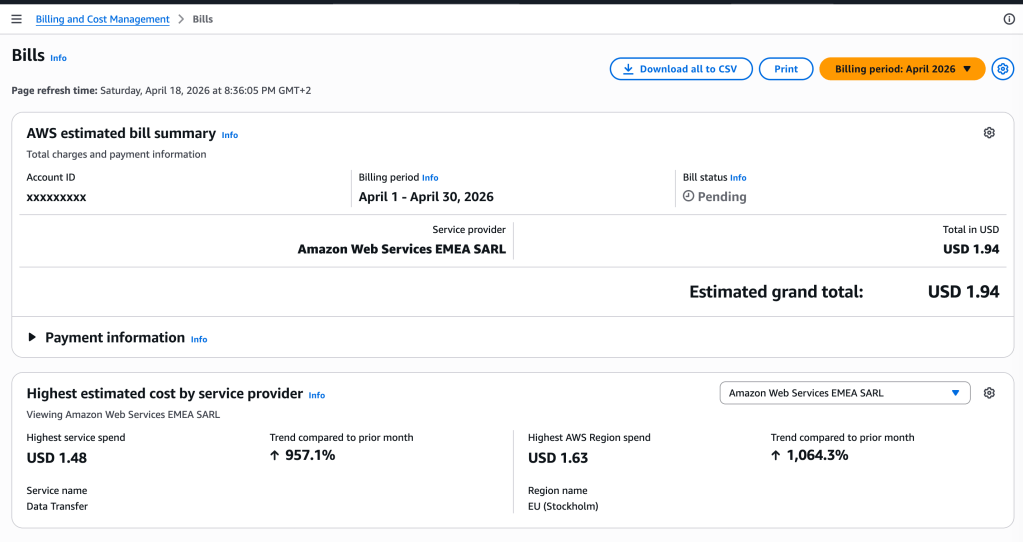
Cost Comparison: All US Market Daily OHLCV (54M rows, 14K tickers)
┌─────────────────────┬───────────┬───────────┬───────────┬────────────┐│ │ Storage │ Compute │ Total/mo │ vs DuckDB │├─────────────────────┼───────────┼───────────┼───────────┼────────────┤│ Snowflake │ $23/mo │ $228/mo* │ ~$251/mo │ 251x ││ Databricks │ $23/mo │ $150/mo* │ ~$173/mo │ 173x ││ BigQuery │ free 10GB │ $30/mo** │ ~$30/mo │ 30x ││ AWS RDS (Postgres) │ $50/mo │ $80/mo │ ~$130/mo │ 130x ││ DuckDB + S3 Iceberg │ $1/mo │ $0 (local)│ ~$1/mo │ 1x │└─────────────────────┴───────────┴───────────┴───────────┴────────────┘ * Snowflake: X-Small warehouse, ~1hr/day usage Databricks: DBU cost for SQL warehouse, ~1hr/day** BigQuery: on-demand pricing, ~6TB scanned/month All estimates for personal/light analytics workload
The cloud data warehouses are built for teams and enterprise scale. For a personal financial analysis setup — where you run queries a few times a day from your laptop — paying 251/month for always-on infrastructure is overkill.
DuckDB + S3 gives you the same SQL power for $1/month. No server. No cluster. No idle compute bills. Just SQL from your laptop.
Lesson 4: Open Source Community Wins
I submitted the extension to the DuckDB Community Extensions registry. It was merged in 2 days.
INSTALL talib FROM community;LOAD talib;-- That's it. Works on Linux and macOS with Duckdb v1.5.2
The DuckDB community is remarkably welcoming. The extension system is well-documented, the review process is fast, and the ecosystem is growing rapidly. For a solo developer, this kind of community support is what makes a project viable.
Summary
                        ┌──────────────────┐
                        │  DuckDB + TA-Lib │
                        └────────┬─────────┘
               ┌─────────────────┼─────────────────┐
               ▼                 ▼                  ▼
    ┌────────────────┐ ┌──────────────────┐ ┌────────────────┐
    │ AI Development │ │   Performance    │ │ Cost & Community│
    ├────────────────┤ ├──────────────────┤ ├────────────────┤
    │ Claude as C++  │ │ 4ms local        │ │ $1/mo S3       │
    │ pair programmer│ │ 155ms S3         │ │ 251x cheaper   │
    │                │ │ 3,025x vs LLM    │ │ than Snowflake │
    │ Python dev     │ │                  │ │                │
    │ ships native   │ │ 14,669 tickers   │ │ DuckDB community│
    │ extension      │ │ scanned in 340ms │ │ merged in 2 days│
    │                │ │                  │ │                │
    │ 2 days: zero   │ │ 54M rows from    │ │ Open source    │
    │ to community   │ │ a MacBook        │ │ MIT licensed   │
    └────────────────┘ └──────────────────┘ └────────────────┘
Building this extension was one of the most rewarding side projects I’ve done. The combination of:
- AI pair programming — making unfamiliar languages accessible
- DuckDB’s architecture — in-process, columnar, extensible
- Cloud-native storage — S3 + Iceberg for pennies
- Open community — fast review, broad distribution
…creates something that wasn’t possible even a year ago: a single developer can build and ship a high-performance analytical tool that rivals what used to require a team and a budget.
If you do financial analysis, give it a try duckdb https://duckdb.org/ with new extension https://duckdb.org/community_extensions/list_of_extensions
INSTALL talib FROM community;LOAD talib;
All 100+ functions. Zero infrastructure. Just SQL.


Leave a Reply